How to Use Link in Bio to Drive OnlyFans Subscribers: Complete Guide
You're getting traffic to your social media, but visitors aren't clicking through to your OnlyFans. You're wondering: how do I get people to click my link? What should I put in my link in bio? How do I optimize my link in bio to convert more subscribers?
Your link in bio is one of the most important tools for driving OnlyFans subscribers. It's the bridge between your social media presence and your OnlyFans page—the single click that converts followers into subscribers. Many creators get traffic to their social media but struggle to convert that traffic because their link in bio isn't optimized, their landing page isn't effective, or they're not tracking what works.
This guide is for OnlyFans creators who want to use link in bio tools effectively to drive subscribers. Whether you're new to link in bio tools or you've been using them but want to increase conversions, these strategies will help you choose the right link in bio tool, optimize your link in bio, create effective landing pages, track conversions, use call-to-actions effectively, and maximize traffic to your OnlyFans page.
You'll learn how to understand why link in bio matters, choose the right link in bio tool for your needs, optimize your link in bio for maximum clicks, create landing pages that convert, use analytics to track performance, implement proven strategies that top creators use, and avoid common mistakes that reduce conversions.
By the end of this guide, you'll understand exactly how to use link in bio tools effectively to drive subscribers, convert social media traffic into OnlyFans subscribers, and maximize the revenue potential of your social media presence.
Why Link in Bio Matters for OnlyFans Growth
Understanding why link in bio matters helps you prioritize it. Here's why it's important:
The Conversion Funnel
Link in bio is essential part of conversion funnel:
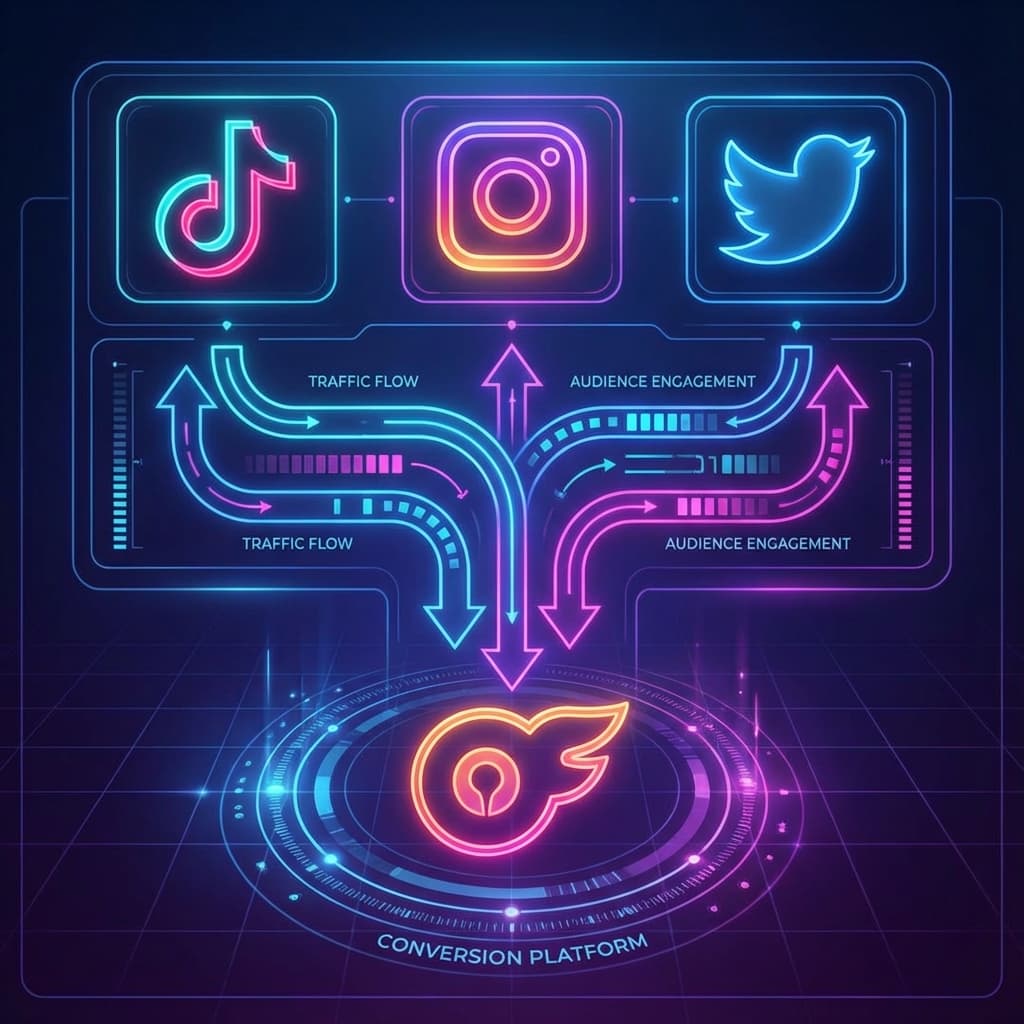
- Social media → Link in bio → OnlyFans - Link in bio is bridge between social media and OnlyFans
- Single click conversion - One click from link in bio to OnlyFans subscription
- Traffic capture - Captures traffic from all social media platforms in one place
- Conversion optimization - Optimized link in bio significantly increases conversion rates
- Revenue driver - Effective link in bio directly drives subscriber acquisition and revenue
Most social media platforms only allow one link in bio. That link is your primary way to drive traffic to OnlyFans. Optimizing it is essential.
What Makes Link in Bio Effective
Effective link in bio provides:
- Clear path to OnlyFans - Makes it easy for followers to find and click to OnlyFans
- Multiple link options - Allows linking to multiple destinations (OnlyFans, other platforms, content)
- Landing page optimization - Provides landing page to optimize conversion before OnlyFans
- Analytics and tracking - Provides analytics to track what works and optimize
- Professional appearance - Creates professional, organized appearance
Understanding what makes link in bio effective helps you optimize it for maximum conversions.
Choosing the Right Link in Bio Tool
Choosing the right tool is essential. Here are popular options:
Linktree
Linktree (most popular link in bio tool):
- Features - Multiple links, custom branding, analytics, scheduling, themes
- Pricing - Free (basic), Pro ($9.99/month), Premium ($24/month)
- Pros - Easy to use, widely recognized, good free tier, good analytics
- Cons - Free tier has limitations, can look generic
- Best for - Most creators, especially beginners
Linktree is most popular and user-friendly. Good starting point for most creators.
Beacons
Beacons (comprehensive creator tool):
- Features - Multiple links, landing pages, email capture, analytics, integrations
- Pricing - Free (basic), Creator ($10/month), Pro ($20/month)
- Pros - Comprehensive features, good analytics, email capture, professional
- Cons - More complex than Linktree, may be overkill for simple needs
- Best for - Creators who want comprehensive tool with advanced features
Beacons offers more features than Linktree, including email capture and advanced analytics.
Bio.link
Bio.link (simple, clean link in bio):
- Features - Multiple links, custom branding, analytics, simple interface
- Pricing - Free (basic), Pro ($6/month)
- Pros - Simple, clean design, affordable, good free tier
- Cons - Fewer features than competitors, less customization
- Best for - Creators who want simple, affordable solution
Bio.link is simple and affordable. Good option for creators who want straightforward solution.
Custom Domain Link
Custom domain link (yourname.com):
- Features - Professional appearance, brand recognition, custom landing page
- Pricing - Domain cost ($10-20/year) + hosting/landing page builder
- Pros - Most professional, brand recognition, full control
- Cons - More complex setup, requires technical knowledge
- Best for - Established creators who want professional brand presence
Custom domain is most professional but requires more setup. Best for established creators.
Optimizing Your Link in Bio
Optimizing your link in bio increases clicks and conversions. Here's how to optimize:
Link Placement and Order
Place links strategically:
- OnlyFans first - Place OnlyFans link at top (most important, gets most clicks)
- Clear labeling - Label links clearly ("Subscribe to OnlyFans", "Join My OnlyFans")
- Priority order - Order links by priority (OnlyFans, other platforms, content, social media)
- Limit links - Don't overwhelm with too many links (5-7 links maximum)
- Visual hierarchy - Use visual hierarchy to highlight OnlyFans link
Strategic link placement increases clicks. OnlyFans should be first and most prominent.
Call-to-Action Optimization
Use effective call-to-actions:
- Action-oriented language - Use action words ("Subscribe", "Join", "Get Access")
- Value proposition - Include value proposition ("Exclusive Content", "Daily Posts")
- Urgency - Create urgency when appropriate ("Limited Time", "New Subscriber Special")
- Clear benefit - Clearly state benefit ("See All My Content", "Chat With Me")
- Emotional appeal - Use emotional language that resonates with audience
Effective call-to-actions increase clicks. Use action-oriented language that clearly communicates value.
Visual Optimization
Optimize visuals for clicks:
- Profile photo - Use high-quality, engaging profile photo
- Cover image - Use engaging cover image that represents your brand
- Link thumbnails - Use custom thumbnails for links (if tool supports)
- Brand consistency - Maintain brand consistency across visuals
- Professional appearance - Ensure professional, polished appearance
Visual optimization increases clicks. Professional, engaging visuals make link in bio more appealing.
Bio Description Optimization
Optimize bio description:
- Clear value proposition - Clearly state what subscribers get
- Engaging description - Write engaging description that captures attention
- Keywords - Include relevant keywords for discoverability
- Call-to-action - Include call-to-action in bio description
- Personality - Show personality in bio description
Bio description is first thing visitors see. Make it engaging and clear about value proposition.
Creating Effective Landing Pages
Creating effective landing pages increases conversions. Here's how to create effective landing pages:
Landing Page Structure
Structure landing page effectively:
- Clear headline - Use clear, compelling headline
- Value proposition - Clearly state value proposition early
- Visual content - Include engaging visuals (photos, videos, previews)
- Social proof - Include social proof (subscriber count, testimonials, reviews)
- Clear call-to-action - Use clear, prominent call-to-action button
- Mobile optimization - Ensure landing page is mobile-optimized
Effective landing page structure guides visitors to conversion. Clear structure increases conversions.
Content for Landing Pages
Include effective content:
- Content previews - Show previews of your content (teasers, samples)
- What subscribers get - Clearly list what subscribers get (content types, frequency, exclusives)
- Pricing information - Include subscription pricing (if appropriate)
- Creator information - Include information about you (personality, niche, interests)
- FAQ section - Include FAQ section addressing common questions
Effective content answers visitor questions and builds desire to subscribe. Include content that converts.
Conversion Optimization
Optimize for conversions:
- Single focus - Focus landing page on single goal (OnlyFans subscription)
- Reduce friction - Remove barriers to subscription (make it easy to click through)
- Create urgency - Use urgency when appropriate (limited-time offers, special promotions)
- Trust signals - Include trust signals (verified badge, subscriber count, reviews)
- Multiple CTAs - Include multiple call-to-action buttons (above fold, throughout page)
Conversion optimization removes barriers and increases likelihood of subscription. Every element should guide toward conversion.
Tracking and Analytics
Tracking performance helps you optimize. Here's how to track:
Key Metrics to Track
Track these key metrics:
- Click-through rate - Percentage of visitors who click your link in bio
- Link clicks - Number of clicks on each link
- Conversion rate - Percentage of link clicks that convert to subscribers
- Traffic sources - Which social media platforms drive most traffic
- Time on page - How long visitors spend on landing page
- Bounce rate - Percentage of visitors who leave without clicking
Tracking metrics helps you understand what works. Use analytics to identify optimization opportunities.
Using Analytics to Optimize
Use analytics to optimize:
- Identify top performers - Identify which links, content, CTAs perform best
- Test changes - Test changes and measure impact on metrics
- Optimize low performers - Optimize links, content, CTAs that underperform
- Track trends - Track trends over time to identify patterns
- Make data-driven decisions - Use data to make optimization decisions
Analytics provide insights for optimization. Use data to make informed decisions about what to change.
OnlyFans Analytics Integration
Integrate with OnlyFans analytics:
- Track referral sources - Use OnlyFans analytics to track which sources drive subscribers
- UTM parameters - Use UTM parameters to track specific campaigns and links
- Conversion tracking - Track conversions from link in bio to OnlyFans subscription
- ROI analysis - Analyze ROI of link in bio efforts
OnlyFans analytics integration provides complete picture of conversion funnel. Track from link in bio to subscription.
Advanced Link in Bio Strategies
Advanced strategies can increase conversions. Here are advanced strategies:
Email Capture
Capture emails for marketing:
- Email opt-in - Offer email opt-in for exclusive content, updates, promotions
- Lead magnets - Offer lead magnets (free content, guides) for email signup
- Email marketing - Use email marketing to nurture leads and drive subscriptions
- Retargeting - Use email for retargeting visitors who didn't subscribe
Email capture builds marketing list. Use email to nurture leads and drive subscriptions over time.
Scheduling and Content Updates
Schedule content and updates:
- Link scheduling - Schedule links to appear at specific times (promotions, events)
- Content updates - Regularly update link in bio content to keep it fresh
- Seasonal updates - Update for seasons, holidays, special events
- Promotion updates - Update for promotions, special offers, limited-time deals
Scheduling and updates keep link in bio fresh and relevant. Regular updates maintain engagement.
A/B Testing
Test different approaches:
- Test CTAs - Test different call-to-action language
- Test link order - Test different link orders to see what performs best
- Test visuals - Test different visuals (photos, thumbnails, colors)
- Test landing pages - Test different landing page designs and content
- Measure results - Measure results to identify what works best
A/B testing helps you optimize. Test different approaches to find what converts best.
Multi-Platform Strategy
Use link in bio across platforms:
- Consistent link - Use same link in bio across all platforms for consistency
- Platform-specific optimization - Optimize for each platform while maintaining consistency
- Cross-promotion - Promote link in bio across all platforms
- Unified presence - Create unified brand presence across platforms
Multi-platform strategy maximizes reach. Use link in bio consistently across all platforms.
Common Link in Bio Mistakes to Avoid
Many creators make these link in bio mistakes. Avoid them to maximize conversions:
Mistake 1: Not Optimizing Link in Bio
The Problem: Using basic, unoptimized link in bio without optimization.
Why It Hurts: Unoptimized link in bio reduces clicks and conversions. Visitors don't know what to click or why they should click.
The Fix: Optimize your link in bio. Use clear CTAs, strategic link placement, engaging visuals, compelling bio description. Optimization significantly increases clicks and conversions.
Mistake 2: Too Many Links
The Problem: Including too many links, overwhelming visitors and diluting focus.
Why It Hurts: Too many links confuse visitors and reduce clicks on most important link (OnlyFans). Choice paralysis reduces conversions.
The Fix: Limit links to 5-7 maximum. Prioritize OnlyFans link. Remove unnecessary links. Focus on what drives conversions.
Mistake 3: OnlyFans Link Not Prominent
The Problem: OnlyFans link buried among other links, not prominently displayed.
Why It Hurts: OnlyFans is most important link. If it's not prominent, visitors may not find it or click other links instead.
The Fix: Make OnlyFans link most prominent. Place it first, use visual hierarchy, use compelling CTA, make it stand out. OnlyFans should be obvious first choice.
Mistake 4: Weak Call-to-Actions
The Problem: Using weak, unclear call-to-actions that don't motivate clicks.
Why It Hurts: Weak CTAs don't communicate value or create urgency. Visitors don't know why they should click.
The Fix: Use strong, action-oriented CTAs. Include value proposition, create urgency when appropriate, use emotional language. Strong CTAs significantly increase clicks.
Mistake 5: Not Tracking Performance
The Problem: Not tracking link in bio performance, missing optimization opportunities.
Why It Hurts: Without tracking, you don't know what works. You can't optimize effectively or identify problems.
The Fix: Track performance regularly. Use analytics to identify what works, test changes, optimize low performers. Data-driven optimization is essential.
Mistake 6: Inconsistent Branding
The Problem: Link in bio doesn't match brand across platforms, creating confusion.
Why It Hurts: Inconsistent branding reduces trust and recognition. Visitors may not recognize it's you or may question authenticity.
The Fix: Maintain consistent branding. Use same visuals, colors, tone across link in bio and social media. Consistent branding builds trust and recognition.
Maximizing Link in Bio Conversions
Maximizing conversions requires strategy. Here's how to maximize conversions:
Promoting Your Link in Bio
Promote your link in bio effectively:
- Mention in posts - Mention link in bio in social media posts regularly
- Stories and Reels - Include link in bio in Stories, Reels, and other content
- Bio mentions - Mention link in bio in social media bios
- Cross-promotion - Promote link in bio across all platforms
- Regular reminders - Regularly remind followers about link in bio
Promoting link in bio increases awareness and clicks. Regular promotion drives traffic to OnlyFans.
Creating Urgency and Scarcity
Use urgency and scarcity strategically:
- Limited-time offers - Create limited-time offers for new subscribers
- Special promotions - Offer special promotions through link in bio
- Exclusive access - Offer exclusive access through link in bio
- Countdown timers - Use countdown timers for time-sensitive offers
Urgency and scarcity create motivation to click and subscribe. Use strategically to drive conversions.
Building Trust and Credibility
Build trust through link in bio:
- Social proof - Include social proof (subscriber count, testimonials, reviews)
- Verified badges - Use verified badges when available
- Professional appearance - Maintain professional, polished appearance
- Consistent branding - Maintain consistent branding across platforms
- Transparent information - Provide transparent information about what subscribers get
Trust and credibility increase conversions. Build trust through professional appearance and social proof.
Frequently Asked Questions
What's the best link in bio tool for OnlyFans?
Best tool depends on your needs: Linktree is most popular and user-friendly (good for beginners), Beacons offers more features (email capture, advanced analytics), Bio.link is simple and affordable, and custom domain is most professional (for established creators). However, most creators benefit from Linktree or Beacons. Linktree is easiest to use and widely recognized. Beacons offers more features if you want comprehensive tool. Test different tools to see what works for you. Most important is choosing tool you'll actually use and optimize.
How do I get more clicks on my link in bio?
Increase clicks by: making OnlyFans link most prominent (first, visually highlighted), using strong call-to-actions (action-oriented, value-focused), promoting link in bio regularly (mention in posts, Stories, Reels), creating urgency (limited-time offers, special promotions), optimizing visuals (engaging photos, professional appearance), and tracking performance to optimize. However, most important is making OnlyFans link obvious first choice. Place it first, use compelling CTA, make it stand out. Regular promotion also increases awareness and clicks.
Should I have multiple links in my link in bio?
Multiple links can be effective: include OnlyFans (most important, should be first), other platforms (Fansly, ManyVids, etc.), social media (Instagram, Twitter, TikTok), content (preview content, exclusive content), and other relevant links. However, limit to 5-7 links maximum. Too many links overwhelm visitors and reduce clicks on most important link. Prioritize OnlyFans link. Remove unnecessary links. Focus on what drives conversions.
How do I track link in bio performance?
Track performance using: link in bio tool analytics (most tools provide analytics), OnlyFans analytics (track referral sources), UTM parameters (track specific campaigns and links), click tracking (track clicks on each link), and conversion tracking (track conversions from link in bio to subscription). However, most important metrics are click-through rate (percentage of visitors who click), link clicks (number of clicks on each link), and conversion rate (percentage of clicks that convert to subscribers). Use analytics to identify what works and optimize accordingly.
Should I create a landing page for my link in bio?
Landing page can increase conversions: landing pages allow you to optimize conversion before OnlyFans, provide space for content previews and value proposition, create professional appearance, and include trust signals and social proof. However, landing page isn't required—many creators link directly to OnlyFans. Landing page works well if you want to optimize conversion or provide additional information. Direct link works well if you want simplicity. Test both approaches to see what works for your audience.
How often should I update my link in bio?
Update link in bio regularly: update for promotions and special offers, seasonal updates (holidays, events), when adding new platforms or content, when optimizing based on analytics, and to keep content fresh. However, don't change too frequently—constant changes confuse visitors. Most creators update monthly or when needed (promotions, new content, optimization). Regular updates keep link in bio fresh and relevant without overwhelming visitors.
What should I put in my link in bio description?
Include in description: clear value proposition (what subscribers get), engaging description (captures attention), call-to-action (encourages clicks), relevant keywords (for discoverability), and personality (shows who you are). However, keep description concise—visitors have short attention spans. Most effective descriptions are 2-3 sentences that clearly communicate value and include call-to-action. Focus on what makes you unique and why visitors should subscribe.
How do I optimize my link in bio for mobile?
Optimize for mobile by: ensuring mobile-responsive design (works well on mobile devices), using mobile-friendly visuals (loads quickly, looks good on small screens), keeping content concise (easy to read on mobile), using large, tappable buttons (easy to click on mobile), and testing on mobile devices (ensure it works well). However, most link in bio tools are mobile-responsive by default. Most important is ensuring OnlyFans link is easy to find and click on mobile. Test your link in bio on mobile to ensure it works well.
Can I use link in bio for email marketing?
Yes, many link in bio tools support email capture: offer email opt-in for exclusive content or updates, use email marketing to nurture leads and drive subscriptions, offer lead magnets (free content, guides) for email signup, and use email for retargeting visitors who didn't subscribe. However, email marketing requires email marketing platform integration. Many link in bio tools (like Beacons) offer email capture features. Email marketing can be effective for nurturing leads and driving subscriptions over time.
How do I know if my link in bio is working?
Measure effectiveness by tracking: click-through rate (percentage of visitors who click), link clicks (number of clicks on each link), conversion rate (percentage of clicks that convert to subscribers), traffic sources (which platforms drive most traffic), and OnlyFans subscriber growth (correlation with link in bio traffic). However, most important indicator is OnlyFans subscriber growth. If you're getting traffic to link in bio but not subscribers, optimize conversion. If you're not getting traffic, optimize promotion. Track metrics regularly to measure effectiveness and identify optimization opportunities.
Conclusion
Your link in bio is one of the most important tools for driving OnlyFans subscribers, but it requires choosing the right tool, optimizing for clicks and conversions, creating effective landing pages, tracking performance, and implementing proven strategies that convert social media traffic into OnlyFans subscribers.
The strategies in this guide—from choosing the right link in bio tool and optimizing your link in bio to creating effective landing pages, tracking performance, using advanced strategies, and maximizing conversions—will help you use link in bio tools effectively to drive subscribers, convert social media traffic into OnlyFans subscribers, and maximize the revenue potential of your social media presence.
Start with the fundamentals: choose right link in bio tool for your needs (Linktree or Beacons work well for most creators), optimize your link in bio (make OnlyFans link prominent, use strong CTAs, engaging visuals), create effective landing page (if using one), track performance regularly (use analytics to identify what works), promote your link in bio (mention regularly in posts, Stories, Reels), and optimize based on data (test changes, measure impact, optimize continuously). Most importantly, make OnlyFans link obvious first choice—place it first, use compelling CTA, make it stand out.
Whether you're new to link in bio tools or you've been using them but want to increase conversions, these strategies will help you use link in bio tools effectively to drive subscribers, convert social media traffic into OnlyFans subscribers, and maximize the revenue potential of your social media presence.
Ready to Grow Your OnlyFans Business?
TP MGMT helps creators scale to 6-figures and beyond with proven marketing strategies, in-house chatting, and data-driven content planning.
Book your FREE Marketing Call